How should I use the Conference Room?
The LibraryH3lp Conference Room is the group chat tool used by all AskAway service providers to communicate on shift.
At the beginning of your shift:
- When you login to LibraryH3lp at the beginning of your shift, you will be automatically signed into the Conference Room.
- Say "Hi" to your colleagues and offer to take any transfers.
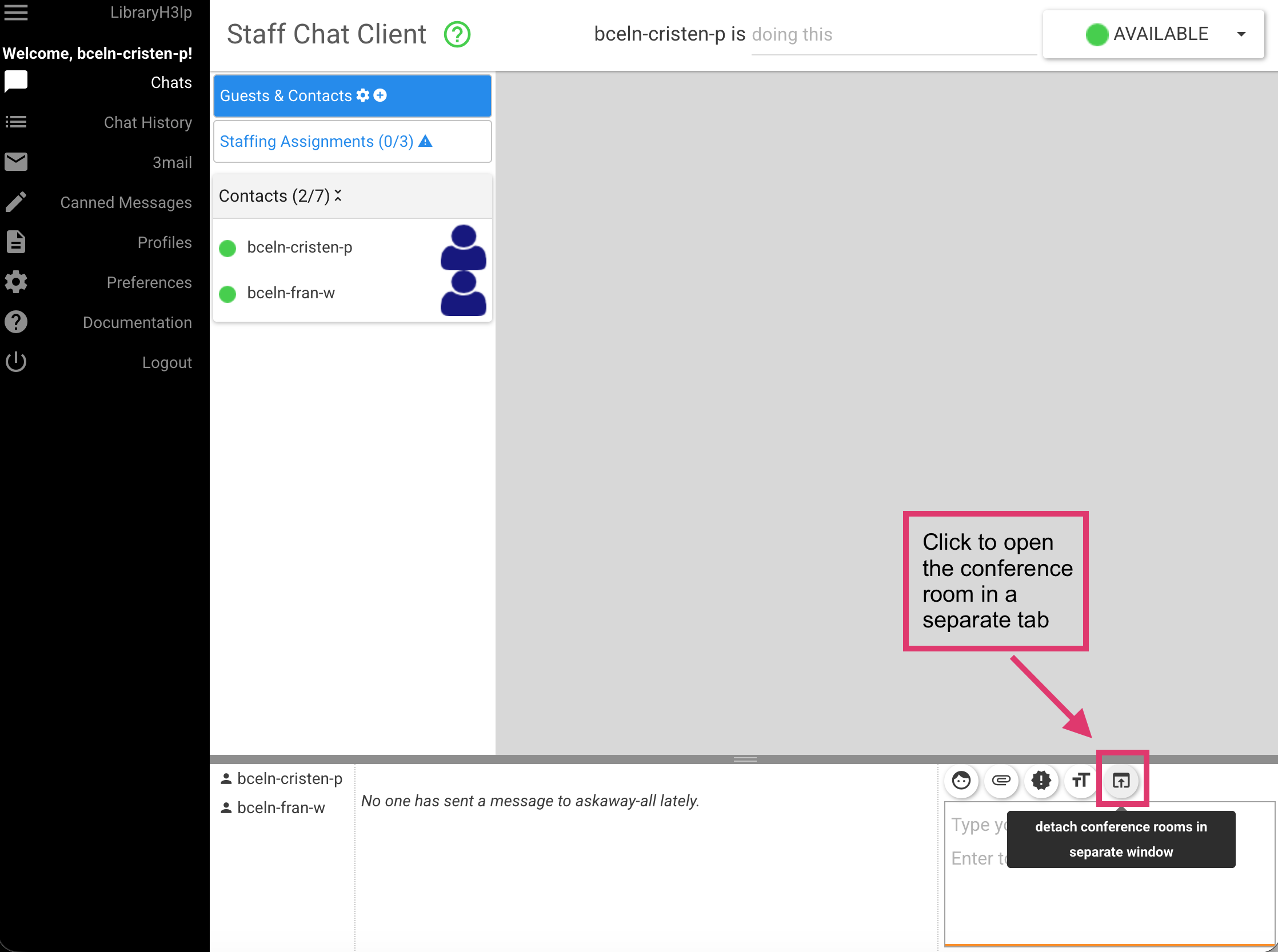
- You can open the conference room in a new window / tab (see below).
- Make sure your sound is turned on so that you can hear notifications.
- You can set your notification preferences in LibraryH3lp by navigating to Preferences and then selecting the Conference Room chat / alert sounds.
During your shift:
- Keep an eye on the conference room throughout your shift.
- Respond promptly to messages and requests for help from your colleagues.
- Here are some of the ways you can use the conference room on your shift:
- Answer questions from colleagues, offer help when needed, facilitate transfers, communicate about different network speeds (e.g., if you're seeing chats come in later than others), consult on tricky questions, test the guest logins, etc.
At the end of your shift:
- When your shift is over, use the conference room to transfer any questions to those coming on shift.
- Say goodbye to your colleagues! This lets them know that you are signing off and will no longer be available on AskAway.
Open the conference room in a new tab:
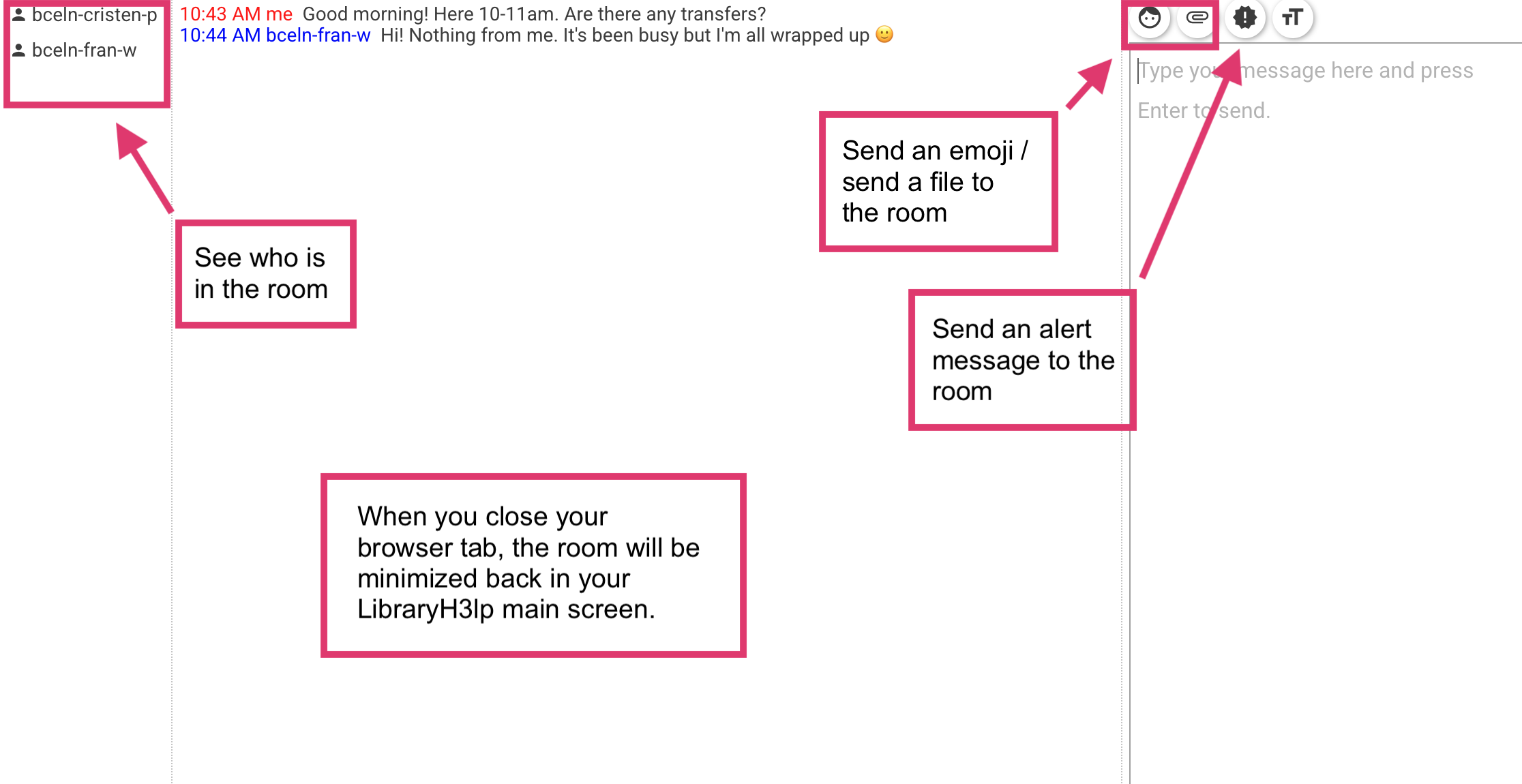
Conference room features: